

Integrated RIP
Integrated Harlequin RIP inside PACKZ Max
- All-in-one prepress solution – edit, screen, and output in one app
- Precise flexo screening and seamless 1-bit TIFF output
- Real-time rasterized previews for full print control
- Superior screening quality with smooth gradients and unprecedented control of highlight dots using Velvet Screening
- No extra RIP servers needed, output from workstation to platesetter spooler
- Maximized efficiency for flexo and offset printing workflows
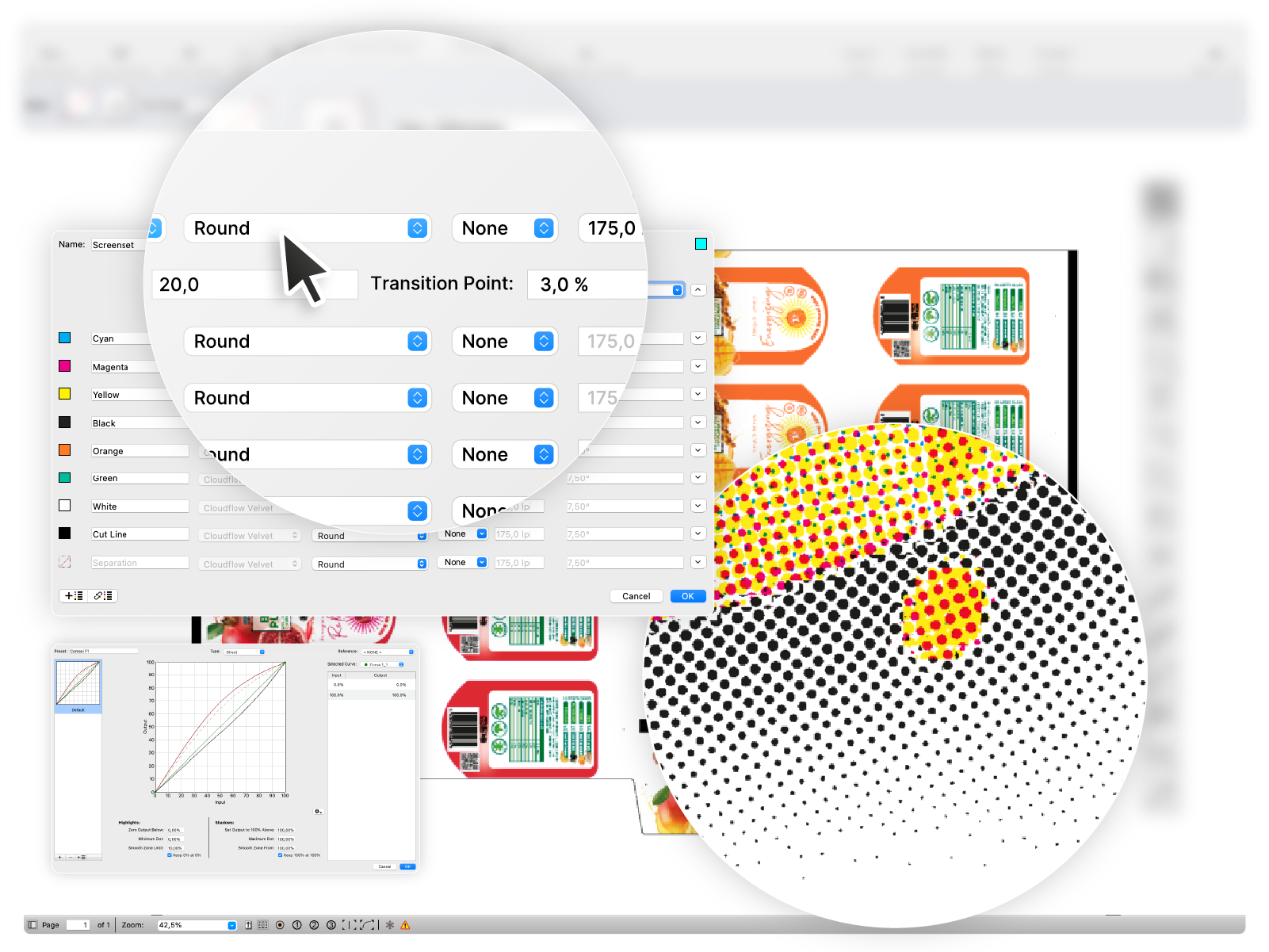
Halftone detection tool
Precision screening control with Harlequin RIP technology
- Integrated in PACKZ Max – direct control of screening parameters
- High-accuracy analysis of screen frequency and screen angles
- Supports PACKZ Max RIP preview and 1-bit TIFF files
- Advanced quality metrics: dot gain, minimum and maximum dot size, platesetter linearization
- Ensures consistent plate and print quality across production lines

Structural assets
Document templates always at hand – for efficient working
- Separation and color profile handling
- Fonts, text, and character recognition
- Images, graphics and external links
- Barcode creation and recognition
- Object-based screening and curves with dot control
- Page box definition and positioning
- Layers with associated PDF Processing Steps and content data
- Export assets to MIS, ERP and BI solutions using templates

Pactions
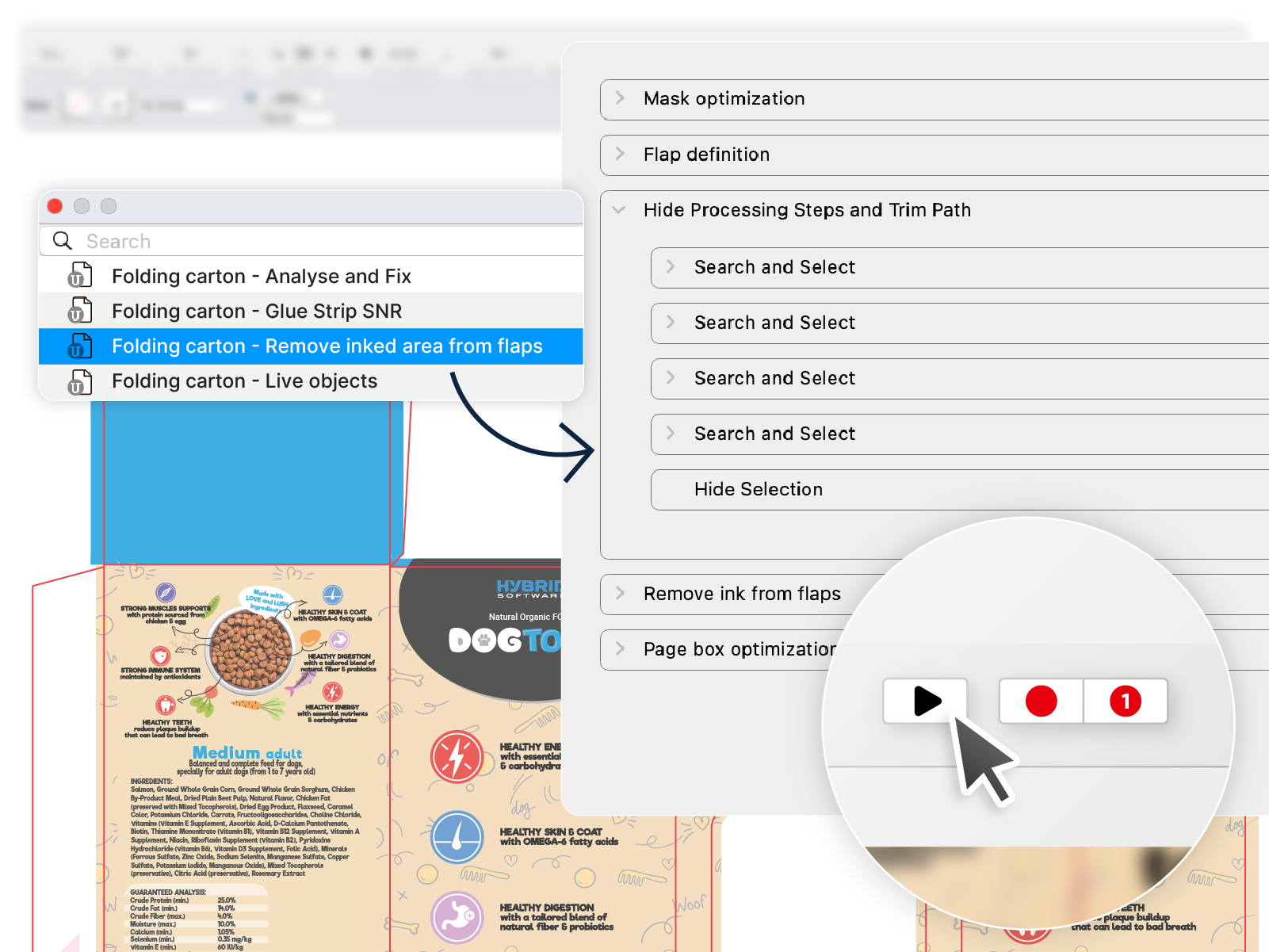
The intelligent automation tool inside the PACKZ PDF editor
- Record interactive editing steps as action lists and reuse them to eliminate repetitive tasks
- Playback Pactions in a WYSIWYG view
- Layers with associated PDF Processing Steps and content data
- Ensuring accuracy and consistency across all artwork variation
- Create personalized tools accessible through the toolbox and key bindings
- Active control over parameter and properties, execution dependencies and conditions
- Fully compatible with CLOUDFLOW for scalable, connected enterprise workflow
Live objects
Make the creation of your packaging dynamic
- Intelligent marks and info panels
- Dynamic reports
- Connect Live Objects to document content or external data
- Fast and easy generation of dimension arrows
- Define templates for dynamic document design

Variable data printing
Easily produce personalized and seasonal labels and packaging and attain consistent results at full speed
- Personalized labels and seasonal packaging with Patchworker
- Variable text, numbers, barcodes, images, and color
- Populate executed variable data into repetitions
- Lead in and out for digital finishing and rewind equipment
- Optional CLOUDFLOW services for automated industrial production
- Populate executed variable data into repetitions

Step and repeat
One solution for all step and repeat requirements
- Single application for one-up editing and step and repeat
- Live Objects and variables for dynamic marks and ink eaters
- Support for templates
- Export die cut for toolmaking

Step and repeat
- Tabular
Tabular and interactive for labels and flexible packaging
- Rectangular- and irregular-shaped designs
- Plate and cylinder library
- Block and staggered repetition
- Seamless repetition for continuous printing

Step and repeat
- Grid
Grid for credit, playing and loyalty cards
- Sequential or CSV driven imposition
- Grid distribution using layout template
- Layout editor for easy reorganization

Step and repeat
- Nested
Nested for folding carton
- Support for CF2 die-cut and step and repeat information
- Automatic nesting out of single artwork
- Trim path definer and exact positioning on die cut
- Station numbering
- Waste numbering
- Turn and tumble for front and backside repetition
- Bleed calculation with common knife detection and resolving
- CIP3 Ink profile output
- Link to Arden Software and EngView Systems CAD libraries

Step and repeat
- Packzimizer
Packzimizer for print surface optimization
- Intelligent algorithms for ganging labels and packaging designs based on quantity
- Live Objects and variables for dynamic marks and ink eaters
- CIP3 Ink profile output and guillotine cutting instructions
- Supplies cost estimation for smart production planning
- Bleed calculation with common knife detection and resolving

Quality control
Exceeds your quality standards
- Preflight with auto correction and reporting
- Detection of delivered barcodes
- Synchronize views over multipage documents
- Wired or full color-managed preview
- Separated view with ink opacity
- Compare with auto align to find differences and reporting
- Misregistration preview to check trapping efficiency and the accuracy of embellishments
- Dot gain and press gamut simulation
- Object-based screening view and conflict detector
- And so much more...

Trapping
Fewer clicks and best quality
- Fastest technology worldwide
- Interactive single-click tool
- Automatic with use of Trap Rules
- Smart Trapping with quality control wizard
- Automatic pullback in stages and image expansion
- Fully editable trap parameters
- Reverse trapping for specific printing techniques

Color management
Full control over every aspect of color
- Powered by ColorLogic spectral technology
- Accurate preview
- Color transformation based on DeviceLink profiles
- Link to GMG OpenColor
- Link to matchmycolor Colibri
- Full support for PANTONE® Digital Color and custom color books
- Expanded Gamut Printing with fixed ink sets

Symmetric and asymmetric warping
Easy grid creation with instant visual inspection capabilities
- Intuitive, fast grid creation and management
- Excellent quality sleeves using simulated deformation grids
- Conical for cups and bottleneck labels
- Metal can deformation for two-piece cans, aerosols, and beverage bottles
- Real-time rendering and live 3D viewing
- iC3D roundtrip with accurate material and embellishment simulation

Capture 3D for warping
Accurate scanning and artwork deformation
- Unique technology from Hybrid Software
- Solution for metal cans for two-piece cans, aerosols, and beverage bottles
- Precise and easy grid deformation in minutes instead of days
- No deadzones for more visual appeal and brand awareness
- Solution for shrink sleeves
- PDF warping
- Interactive 3D viewing
